 yuyr
34cb239bf4
yuyr
34cb239bf4
当前部署情况 - h1: 部署server & client - h2: 部署client - 部署2025-11-25 - 部署目录: /home2/argus/server , /home2/argus/client - 部署使用账号:argus 网络拓扑: - h1 作为docker swarm manager - h2 作为worker加入docker swarm - docker swarm 上创建overlay network 访问方式: - 通过ssh到h1服务器,端口转发 20006-20011 端口到笔记本本地; - 门户网址:http://localhost:20006/dashboard 部署截图: 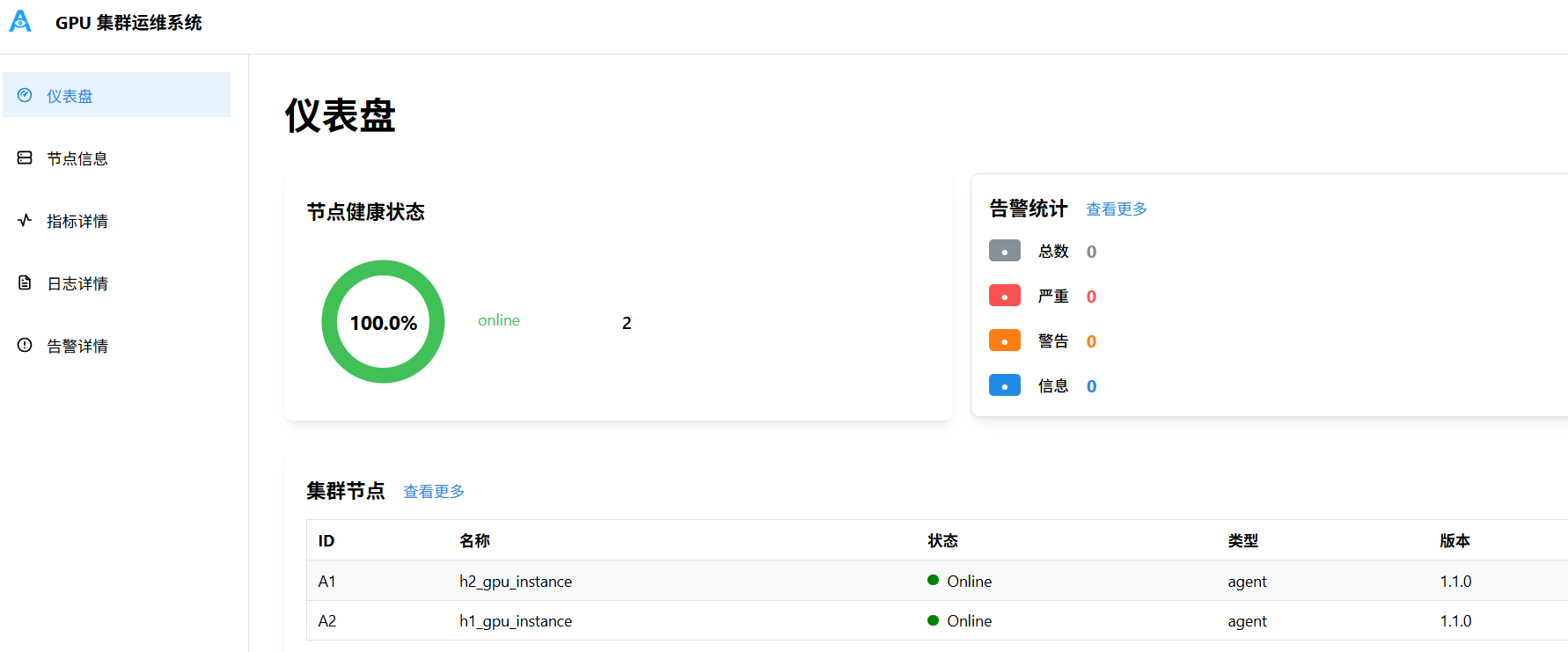 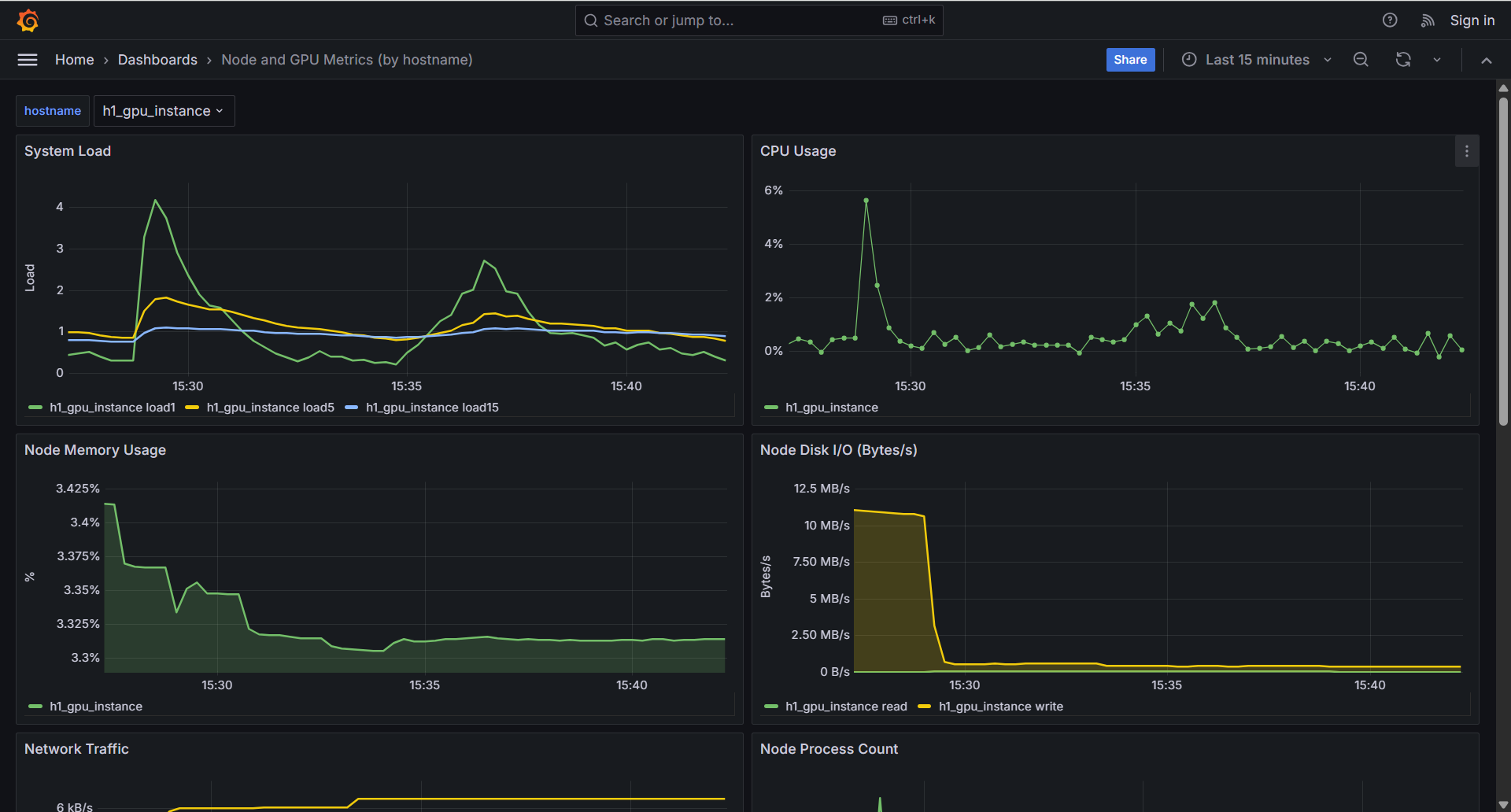 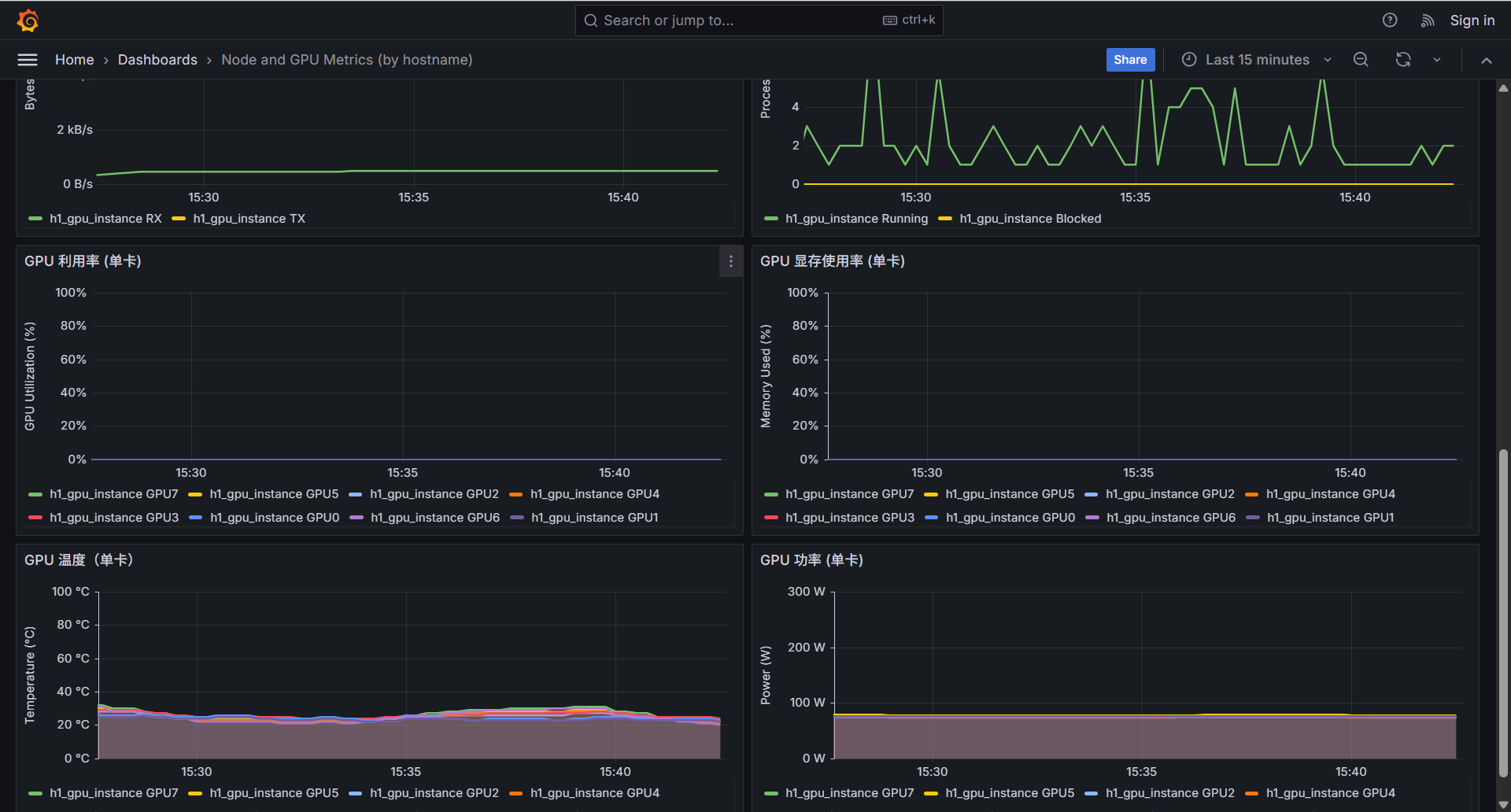 注意事项: - server各容器使用域名作为overlay network上alias别名,实现域名访问,当前版本禁用bind作为域名解析,原因是容器重启后IP变化场景bind机制复杂且不稳定。 - client 构建是内置安装包,容器启动时执行安装流程,后续重启容器跳过安装步骤。 - UID/GID:部署使用 argus账号 uid=2133, gid=2015。 Reviewed-on: #51 Reviewed-by: sundapeng <sundp@mail.zgclab.edu.cn> Reviewed-by: xuxt <xuxt@zgclab.edu.cn> Reviewed-by: huhy <husteryezi@163.com>
116 lines
3.5 KiB
Bash
Executable File
116 lines
3.5 KiB
Bash
Executable File
#!/usr/bin/env bash
|
|
# verify-web-test.sh
|
|
# Verify frontend service availability and run Playwright end-to-end tests
|
|
|
|
set -euo pipefail
|
|
|
|
echo '[INFO] Verifying Web frontend...'
|
|
|
|
SCRIPT_DIR="$(cd "$(dirname "${BASH_SOURCE[0]}")" && pwd)"
|
|
TEST_ROOT="$(cd "$SCRIPT_DIR/.." && pwd)"
|
|
REPO_ROOT="$(cd "$TEST_ROOT/../../.." && pwd)"
|
|
WEB_DIR="$REPO_ROOT/src/web"
|
|
|
|
#=============================
|
|
# Load environment variables
|
|
#=============================
|
|
if [[ -f "$TEST_ROOT/.env" ]]; then
|
|
set -a; source "$TEST_ROOT/.env"; set +a
|
|
fi
|
|
|
|
REPORT_DIR="$WEB_DIR/playwright-report"
|
|
FRONTEND_URL="http://localhost:${WEB_PROXY_PORT_8080:-8080}"
|
|
TIMEOUT=120 # max wait time (seconds) for frontend to be ready
|
|
|
|
#=============================
|
|
# Helper functions
|
|
#=============================
|
|
GREEN="\033[32m"; RED="\033[31m"; YELLOW="\033[33m"; RESET="\033[0m"
|
|
|
|
log_info() { echo -e "${YELLOW}[INFO]${RESET} $1"; }
|
|
log_success() { echo -e "${GREEN}[OK]${RESET} $1"; }
|
|
log_warn() { echo -e "${YELLOW}[WARN]${RESET} $1"; }
|
|
log_error() { echo -e "${RED}[ERROR]${RESET} $1"; }
|
|
|
|
fail_exit() { log_error "$1"; exit 1; }
|
|
|
|
#=============================
|
|
# Step 1: Wait for frontend service
|
|
#=============================
|
|
log_info "[1/4] Checking if frontend service is up (${FRONTEND_URL})..."
|
|
|
|
for ((i=1; i<=TIMEOUT; i++)); do
|
|
STATUS_CODE=$(curl -s -o /dev/null -w "%{http_code}" "$FRONTEND_URL" || true)
|
|
if [[ "$STATUS_CODE" == "200" ]]; then
|
|
log_success "Frontend service is accessible at ${FRONTEND_URL}"
|
|
break
|
|
fi
|
|
sleep 2
|
|
if [[ $i -eq $TIMEOUT ]]; then
|
|
fail_exit "Timeout waiting for frontend service to become ready (${TIMEOUT}s)."
|
|
fi
|
|
done
|
|
|
|
#=============================
|
|
# Step 2: Run Playwright tests
|
|
#=============================
|
|
log_info "[2/4] Running Playwright automated tests in headless mode..."
|
|
|
|
cd "$WEB_DIR"
|
|
|
|
# Ensure dependencies installed
|
|
if [ ! -d "node_modules" ]; then
|
|
log_warn "Dependencies not found. Installing via npm ci..."
|
|
npm ci
|
|
fi
|
|
|
|
log_info "Checking Playwright browsers..."
|
|
if [ -d "node_modules/playwright" ]; then
|
|
log_info "Found node_modules/playwright, checking if browsers are complete..."
|
|
# 使用 dry-run 确认浏览器是否完整
|
|
if npx playwright install --dry-run | grep -q "All required browsers are installed"; then
|
|
log_info "All Playwright browsers are already installed, skipping installation."
|
|
exit 0
|
|
else
|
|
log_info "Playwright browsers incomplete, installing..."
|
|
fi
|
|
else
|
|
log_info "Playwright browsers not found, installing..."
|
|
npx playwright install --with-deps > /dev/null
|
|
fi
|
|
|
|
# Clean previous reports
|
|
rm -rf "$REPORT_DIR"
|
|
|
|
# Run Playwright tests wrapped with xvfb-run to avoid GUI
|
|
set +e # temporarily disable exit-on-error
|
|
env BASE_URL="$FRONTEND_URL" xvfb-run --auto-servernum npx playwright test tests/playwright --reporter=list
|
|
TEST_RESULT=$?
|
|
set -e # re-enable strict mode
|
|
|
|
#=============================
|
|
# Step 3: Check test results
|
|
#=============================
|
|
log_info "[3/4] Checking test results..."
|
|
|
|
if [[ $TEST_RESULT -eq 0 ]]; then
|
|
log_success "All Playwright tests passed successfully."
|
|
else
|
|
log_error "Some Playwright tests failed. Please review the test report."
|
|
fi
|
|
|
|
#=============================
|
|
# Step 4: Report generation
|
|
#=============================
|
|
log_info "[4/4] Checking Playwright report..."
|
|
|
|
if [[ -d "$REPORT_DIR" ]]; then
|
|
log_success "Test report generated at: $REPORT_DIR"
|
|
echo "You can view it using:"
|
|
echo " npx playwright show-report"
|
|
else
|
|
log_warn "Report directory not found. Check Playwright execution logs."
|
|
fi
|
|
|
|
log_success "Web frontend verify finished."
|