 yuyr
59a38513a4
yuyr
59a38513a4
测试方案: - lm2机器端口映射到本机:18080, 18081, 8082-8085 - 访问URL: http://localhost:18080/dashboard 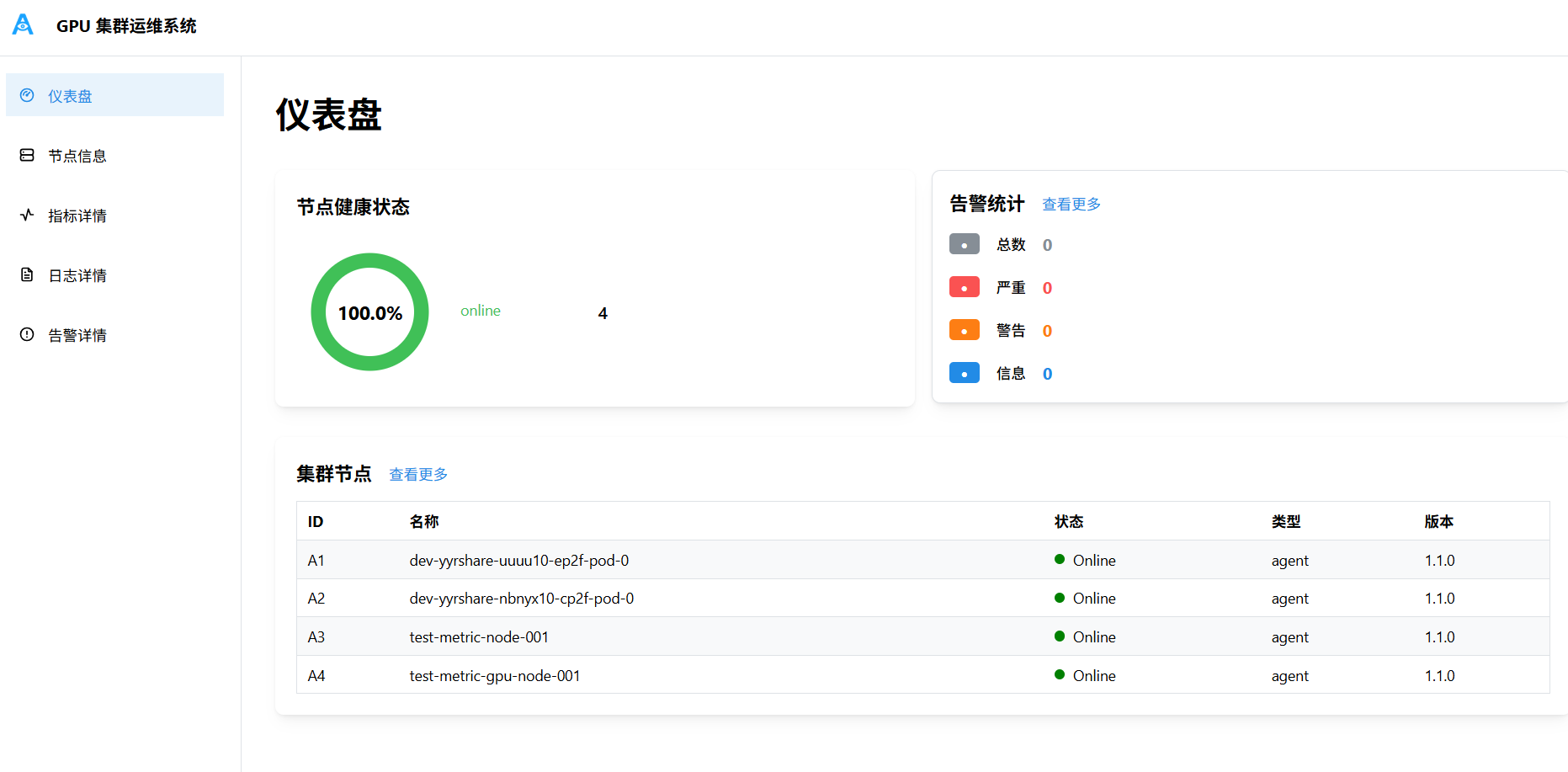 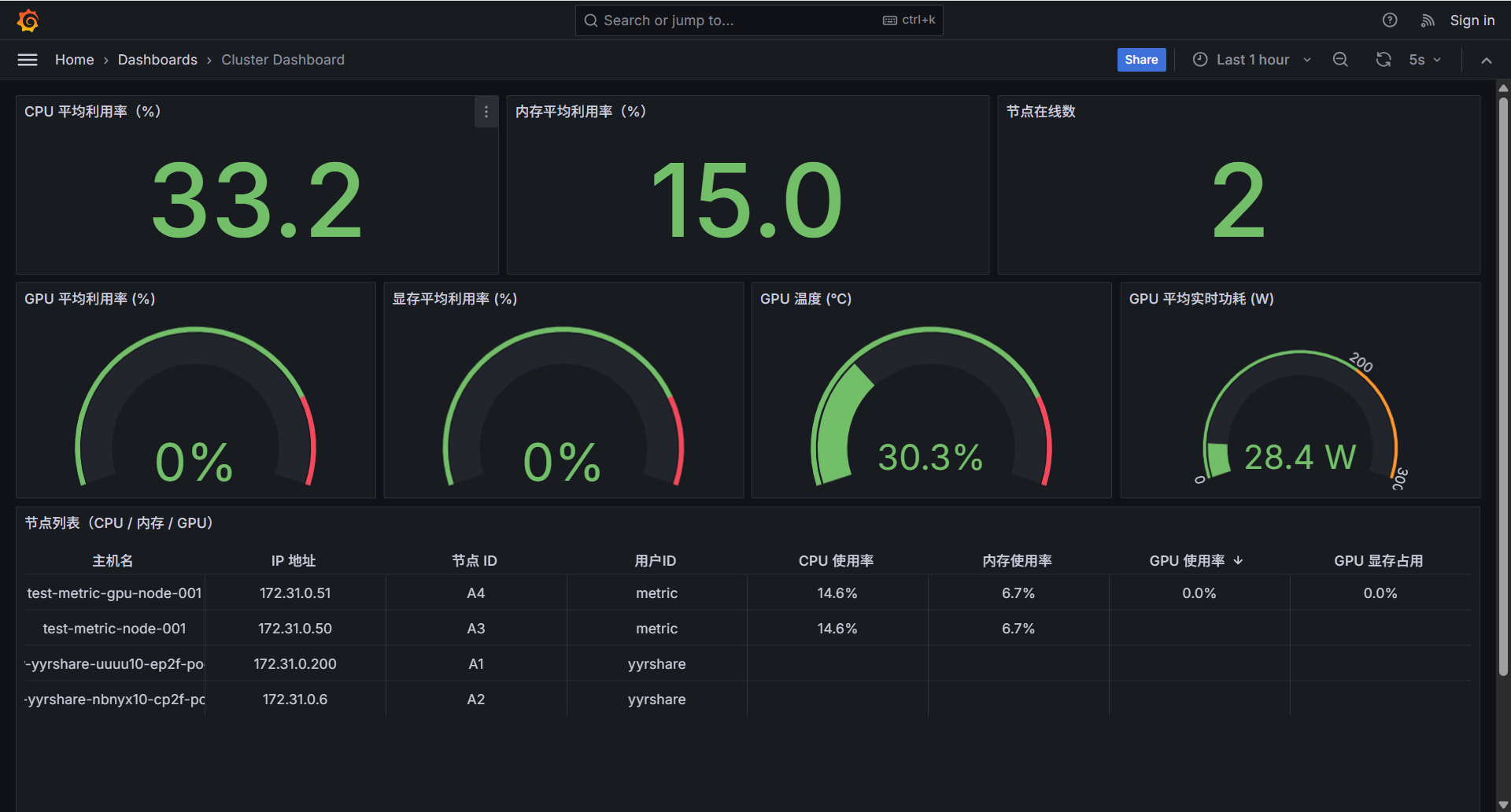 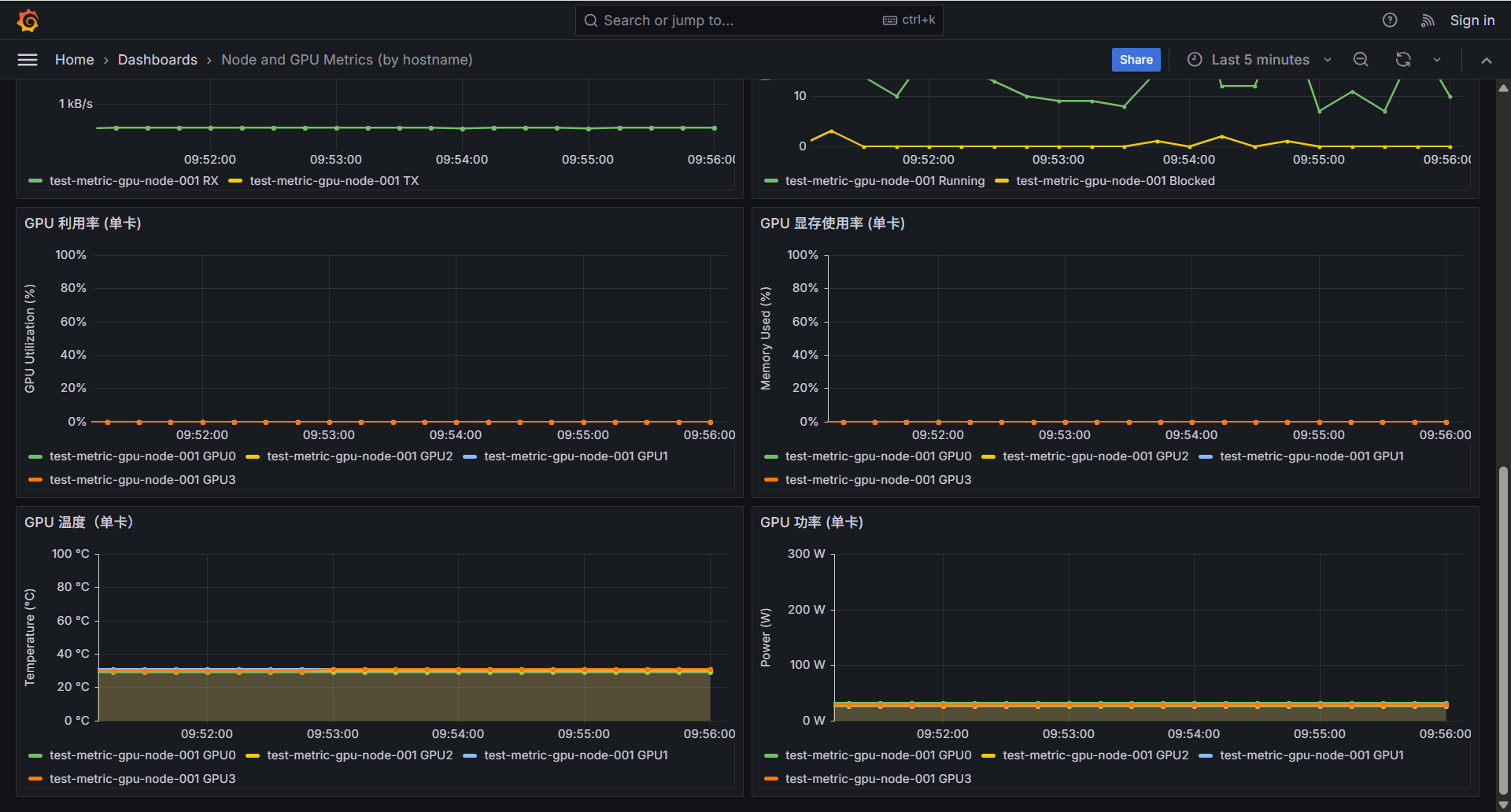 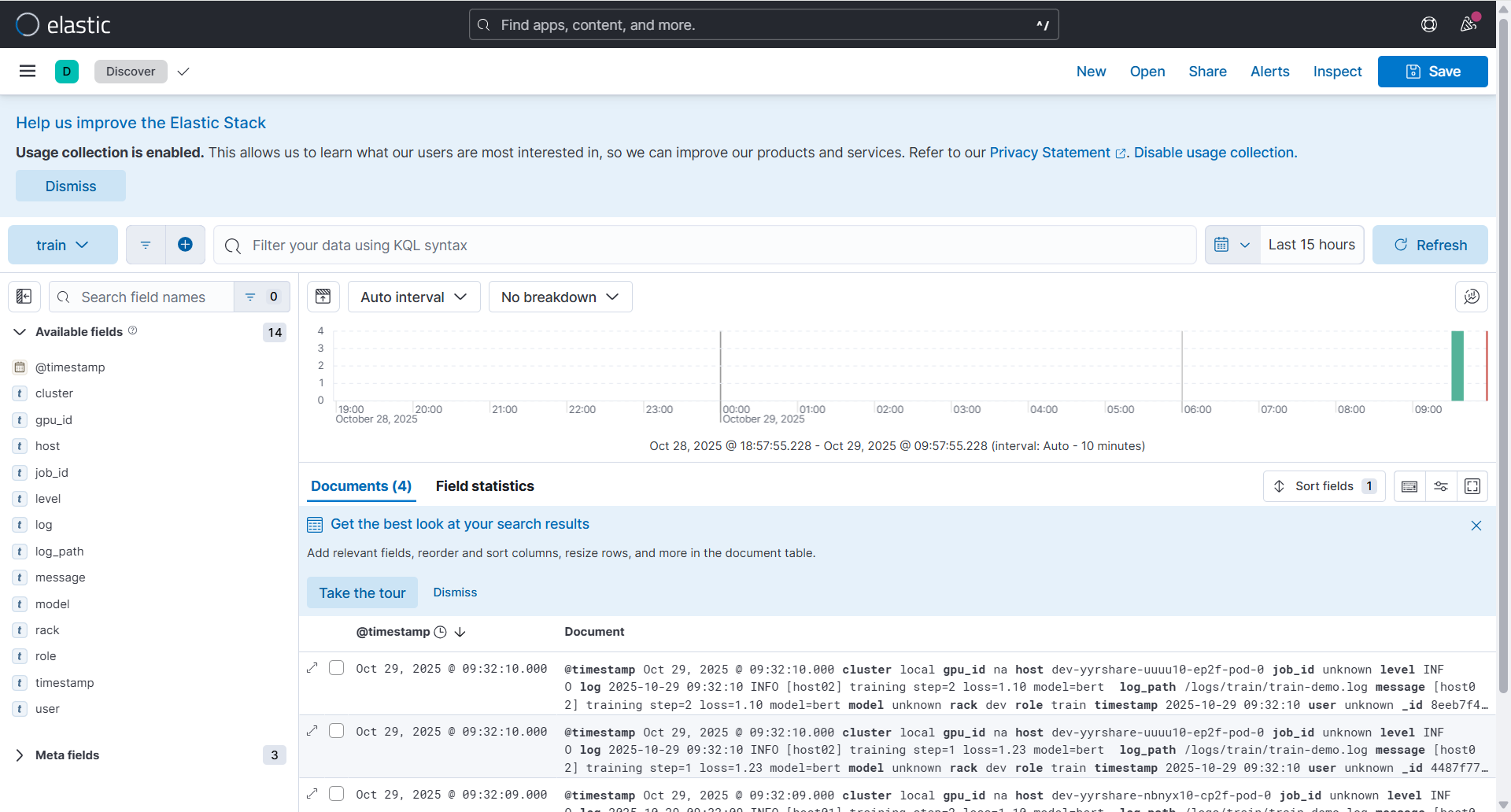 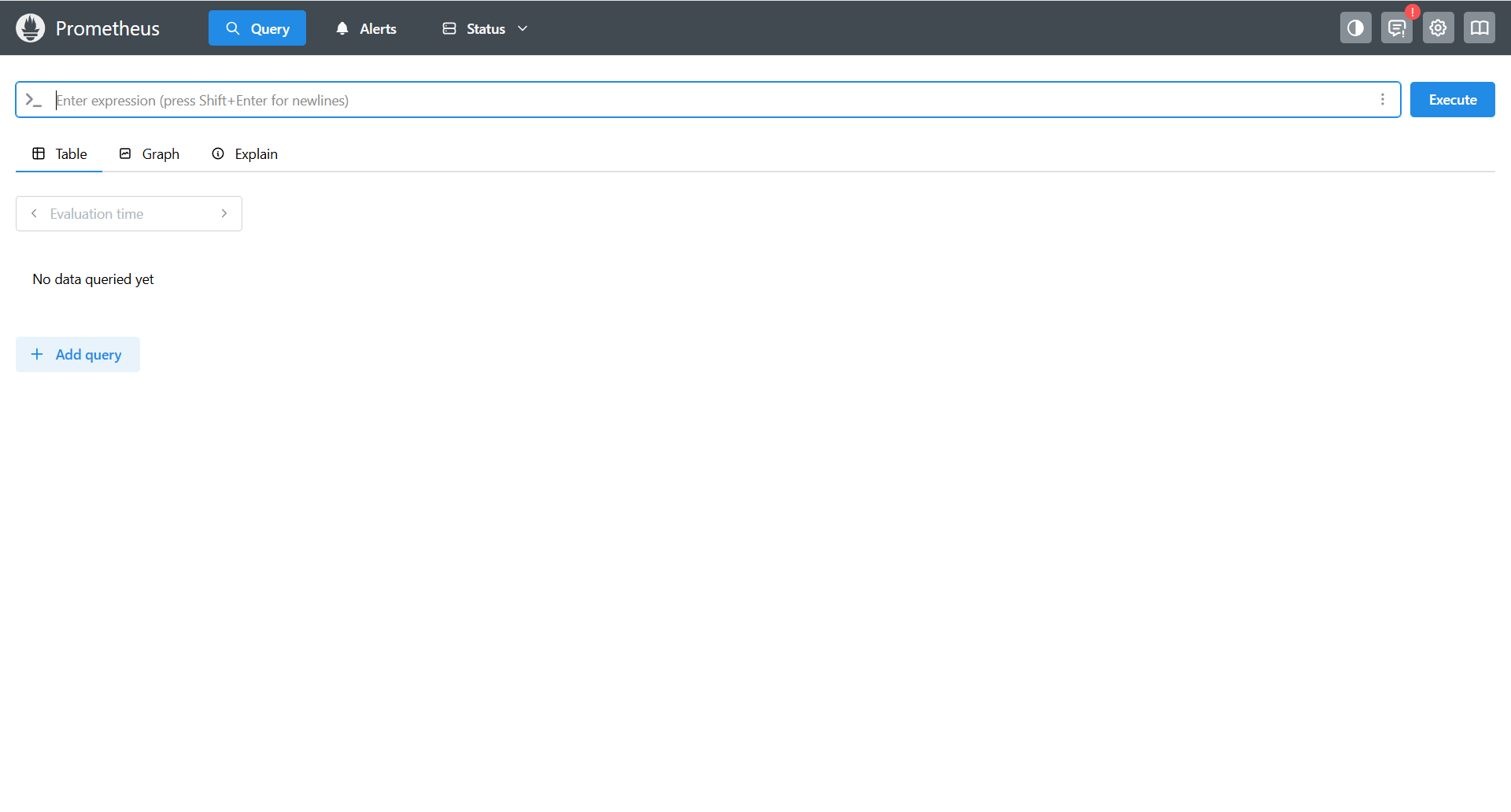 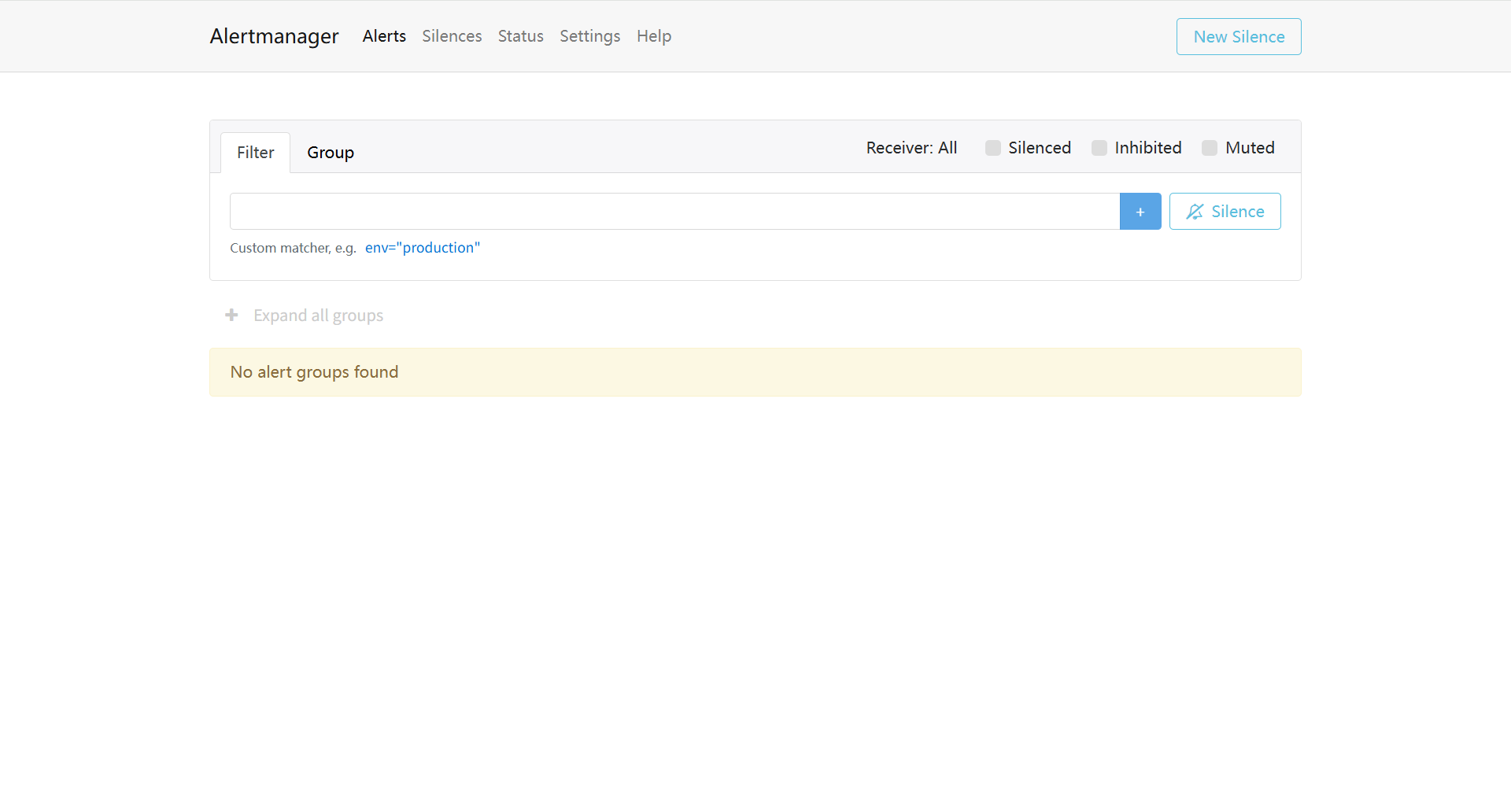 端到端测试通过: 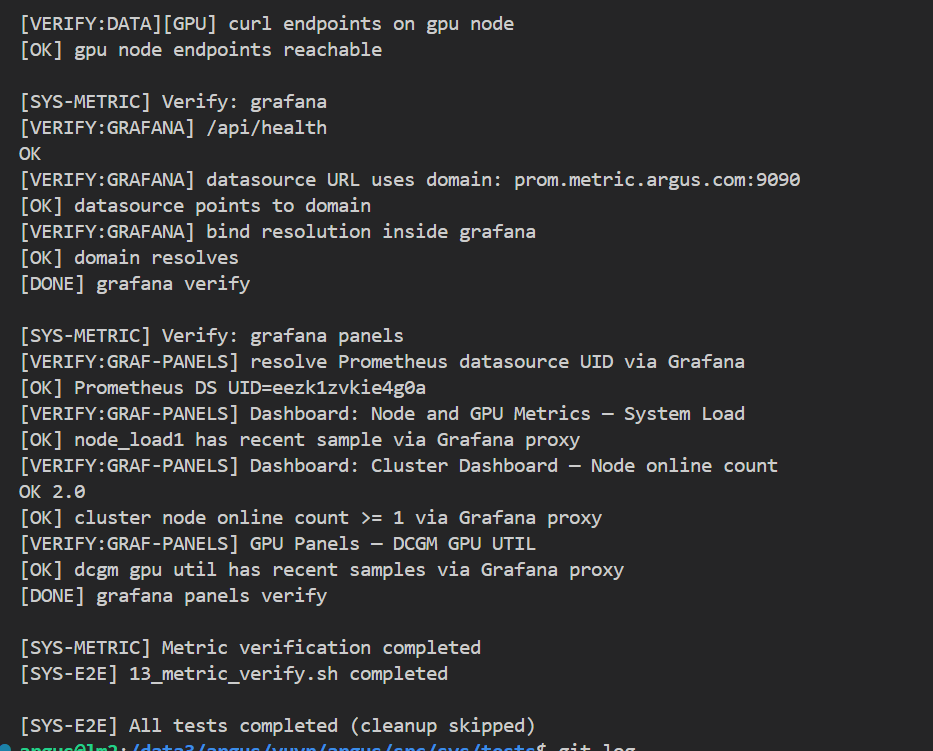 Co-authored-by: sundapeng.sdp <sundapeng@hashdata.cn> Reviewed-on: #35 Reviewed-by: xuxt <xuxt@zgclab.edu.cn> Reviewed-by: sundapeng <sundp@mail.zgclab.edu.cn> Reviewed-by: huhy <husteryezi@163.com>
256 lines
6.5 KiB
Bash
Executable File
256 lines
6.5 KiB
Bash
Executable File
#!/bin/bash
|
|
|
|
# Argus Agent 卸载脚本
|
|
# 版本: 1.0
|
|
# 作者: AIOps Team
|
|
# 日期: $(date +%Y-%m-%d)
|
|
|
|
set -e
|
|
|
|
# 颜色定义
|
|
RED='\033[0;31m'
|
|
GREEN='\033[0;32m'
|
|
YELLOW='\033[1;33m'
|
|
BLUE='\033[0;34m'
|
|
NC='\033[0m' # No Color
|
|
|
|
# 日志函数
|
|
log_info() {
|
|
echo -e "${BLUE}[INFO]${NC} $1"
|
|
}
|
|
|
|
log_success() {
|
|
echo -e "${GREEN}[SUCCESS]${NC} $1"
|
|
}
|
|
|
|
log_warning() {
|
|
echo -e "${YELLOW}[WARNING]${NC} $1"
|
|
}
|
|
|
|
log_error() {
|
|
echo -e "${RED}[ERROR]${NC} $1"
|
|
}
|
|
|
|
# 检查是否为 root 用户
|
|
check_root() {
|
|
if [[ $EUID -ne 0 ]]; then
|
|
log_error "此脚本需要 root 权限运行"
|
|
log_info "请使用: sudo $0"
|
|
exit 1
|
|
fi
|
|
}
|
|
|
|
# 停止运行中的进程
|
|
stop_processes() {
|
|
log_info "停止 Argus Agent 进程..."
|
|
|
|
local pid_file="/var/run/argus-agent.pid"
|
|
local stopped=false
|
|
|
|
# 首先尝试通过 PID 文件停止服务
|
|
if [[ -f "$pid_file" ]]; then
|
|
local pid=$(cat "$pid_file")
|
|
if kill -0 "$pid" 2>/dev/null; then
|
|
log_info "通过 PID 文件停止服务 (PID: $pid)..."
|
|
kill "$pid"
|
|
sleep 3
|
|
|
|
# 检查进程是否已停止
|
|
if kill -0 "$pid" 2>/dev/null; then
|
|
log_warning "进程未响应,强制终止..."
|
|
kill -9 "$pid" 2>/dev/null || true
|
|
fi
|
|
log_success "Argus Agent 进程已停止"
|
|
stopped=true
|
|
else
|
|
log_warning "PID 文件存在但进程已不存在,清理 PID 文件"
|
|
rm -f "$pid_file"
|
|
fi
|
|
fi
|
|
|
|
# 查找并杀死所有 argus-agent 进程
|
|
local pids=$(pgrep -f "argus-agent" 2>/dev/null || true)
|
|
if [[ -n "$pids" ]]; then
|
|
log_info "发现 argus-agent 进程,正在停止..."
|
|
for pid in $pids; do
|
|
log_info "停止进程 PID: $pid"
|
|
kill "$pid" 2>/dev/null || true
|
|
done
|
|
sleep 2
|
|
|
|
# 检查是否还有进程在运行,如果有则强制终止
|
|
local remaining_pids=$(pgrep -f "argus-agent" 2>/dev/null || true)
|
|
if [[ -n "$remaining_pids" ]]; then
|
|
log_warning "进程未响应,强制终止..."
|
|
for pid in $remaining_pids; do
|
|
log_info "强制终止进程 PID: $pid"
|
|
kill -9 "$pid" 2>/dev/null || true
|
|
done
|
|
sleep 1
|
|
fi
|
|
|
|
# 最终检查
|
|
if pgrep -f "argus-agent" > /dev/null; then
|
|
log_error "无法停止所有 argus-agent 进程"
|
|
else
|
|
log_success "所有 Argus Agent 进程已停止"
|
|
stopped=true
|
|
fi
|
|
else
|
|
log_info "Argus Agent 进程未运行"
|
|
fi
|
|
|
|
# 清理 PID 文件
|
|
rm -f "$pid_file"
|
|
|
|
if [[ "$stopped" == "false" ]]; then
|
|
log_warning "未发现需要停止的 Argus Agent 进程"
|
|
fi
|
|
}
|
|
|
|
# 删除二进制文件
|
|
remove_binary() {
|
|
log_info "删除 Argus Agent 二进制文件..."
|
|
|
|
local binary_files=(
|
|
"/usr/local/bin/argus-agent"
|
|
)
|
|
|
|
local deleted=false
|
|
for binary_file in "${binary_files[@]}"; do
|
|
if [[ -f "$binary_file" ]]; then
|
|
rm -f "$binary_file"
|
|
log_success "二进制文件已删除: $binary_file"
|
|
deleted=true
|
|
fi
|
|
done
|
|
|
|
if [[ "$deleted" == "false" ]]; then
|
|
log_info "二进制文件不存在"
|
|
fi
|
|
}
|
|
|
|
# 删除配置文件
|
|
remove_config() {
|
|
log_info "删除配置文件..."
|
|
|
|
local config_dir="/etc/argus-agent"
|
|
|
|
if [[ -d "$config_dir" ]]; then
|
|
rm -rf "$config_dir"
|
|
log_success "配置目录已删除"
|
|
else
|
|
log_info "配置目录不存在"
|
|
fi
|
|
}
|
|
|
|
# 删除数据目录
|
|
remove_data_dir() {
|
|
log_info "删除数据目录..."
|
|
|
|
local data_dir="/var/lib/argus-agent"
|
|
|
|
if [[ -d "$data_dir" ]]; then
|
|
rm -rf "$data_dir"
|
|
log_success "数据目录已删除"
|
|
else
|
|
log_info "数据目录不存在"
|
|
fi
|
|
}
|
|
|
|
# 检查用户状态(可选)
|
|
check_user_status() {
|
|
log_info "检查 argus-agent 用户状态..."
|
|
|
|
if id "argus-agent" &>/dev/null; then
|
|
log_info "检测到 argus-agent 用户存在"
|
|
log_warning "argus-agent 是系统用户,可能被其他服务使用"
|
|
log_info "为了系统稳定性,将保留 argus-agent 用户"
|
|
log_info "如需手动删除,请运行: sudo userdel argus-agent"
|
|
else
|
|
log_info "argus-agent 用户不存在"
|
|
fi
|
|
}
|
|
|
|
# 清理日志文件
|
|
cleanup_logs() {
|
|
log_info "清理日志文件..."
|
|
|
|
# 删除安装脚本创建的日志文件
|
|
rm -f /var/log/argus-agent.log
|
|
|
|
log_success "日志文件已清理"
|
|
}
|
|
|
|
# 清理安装记录
|
|
cleanup_install_record() {
|
|
log_info "清理安装记录..."
|
|
|
|
local install_record="/opt/argus-metric/current/.install_record"
|
|
|
|
if [[ -f "$install_record" ]]; then
|
|
if command -v jq &> /dev/null; then
|
|
# 使用 jq 删除 argus-agent 记录
|
|
jq 'del(.components."argus-agent")' "$install_record" > "$install_record.tmp" && mv "$install_record.tmp" "$install_record"
|
|
log_success "安装记录已更新"
|
|
else
|
|
log_warning "jq 命令不可用,无法清理安装记录"
|
|
fi
|
|
else
|
|
log_info "安装记录文件不存在"
|
|
fi
|
|
}
|
|
|
|
# 显示卸载信息
|
|
show_uninstall_info() {
|
|
log_success "Argus Agent 卸载完成!"
|
|
echo
|
|
echo "已删除的内容:"
|
|
echo " - 二进制文件: /usr/local/bin/argus-agent"
|
|
echo " - 配置目录: /etc/argus-agent"
|
|
echo " - 数据目录: /var/lib/argus-agent"
|
|
echo " - 相关日志文件"
|
|
echo
|
|
echo "注意:"
|
|
echo " - argus-agent 用户已保留(系统用户,可能被其他服务使用)"
|
|
echo " - 如需完全清理,请手动检查并删除相关文件"
|
|
echo
|
|
}
|
|
|
|
# 主函数
|
|
main() {
|
|
echo "=========================================="
|
|
echo " Argus Agent 卸载脚本 v1.0"
|
|
echo "=========================================="
|
|
echo
|
|
|
|
check_root
|
|
|
|
log_warning "此操作将完全卸载 Argus Agent"
|
|
read -p "确认继续?(y/N): " confirm
|
|
|
|
if [[ "$confirm" != "y" && "$confirm" != "Y" ]]; then
|
|
log_info "取消卸载操作"
|
|
exit 0
|
|
fi
|
|
|
|
log_info "开始卸载 Argus Agent..."
|
|
|
|
stop_processes
|
|
remove_binary
|
|
remove_config
|
|
remove_data_dir
|
|
cleanup_logs
|
|
cleanup_install_record
|
|
|
|
# 检查用户状态
|
|
check_user_status
|
|
|
|
show_uninstall_info
|
|
}
|
|
|
|
# 脚本入口
|
|
if [[ "${BASH_SOURCE[0]}" == "${0}" ]]; then
|
|
main "$@"
|
|
fi
|